
First time Setting Up n8n Self-Hosted on Docker
What is n8n?
n8n is a powerful workflow automation tool — think of it like an open-source Zapier. It lets you connect APIs, automate tasks, and even build custom integrations — all visually.
n8n is easy to use and probably has become one of my favorite tools of all time.
Why i decided to start automating and for what?
As part of my work at Yeti Cyber Operations — a startup I co-founded with three other amazing individuals — I wanted to reduce our manual workload for posting updates and maintaining visibility on social media. That led me to automate Discord messages and LinkedIn posts using n8n.
Part I
Here is how i setup n8n as a docker instance
I started by spinning up a self-hosted n8n container with a persistent volume so that data and workflows stay intact even after reboots.
docker run -d \
  --name n8n \
  --restart unless-stopped \
  -p 5678:5678 \
  -e GENERIC_TIMEZONE="Asia/Kathmandu" \
  -e TZ="Asia/Kathmandu" \
  -e N8N_ENFORCE_SETTINGS_FILE_PERMISSIONS=true \
  -e N8N_RUNNERS_ENABLED=true \
  -v n8n_data:/home/node/.n8n \
  docker.n8n.io/n8nio/n8n
This creates a persistent volume (n8n_data) so my workflows remain saved even after reboots.
To start it again after reboot, just do:
docker start n8n
To stop after you are done with the day or you don’t have a separate server which is running 24/7 like me (i really need a serverrrr), you can:
docker stop n8n
By the way, after spinning up the docker instance make sure to check if the container was created and is running or not:
docker ps
Part II
Scheduling Automations in n8n
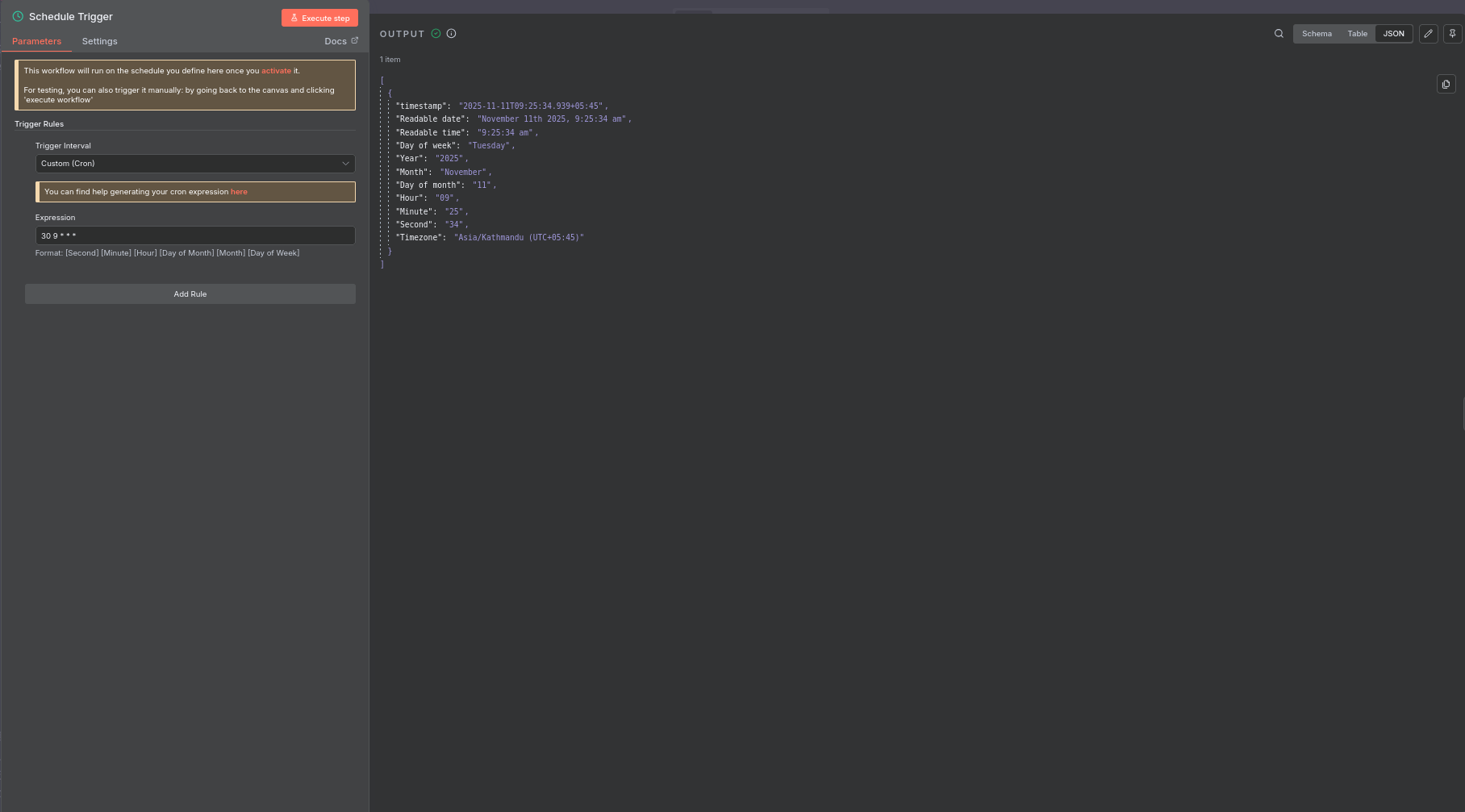
n8n comes with a Cron node for scheduling workflows.
Here’s what I did:
Created a new workflow
Added a Cron node to trigger the workflow at fixed intervals (for example, every morning at 7:00 AM)
0 7 * * *
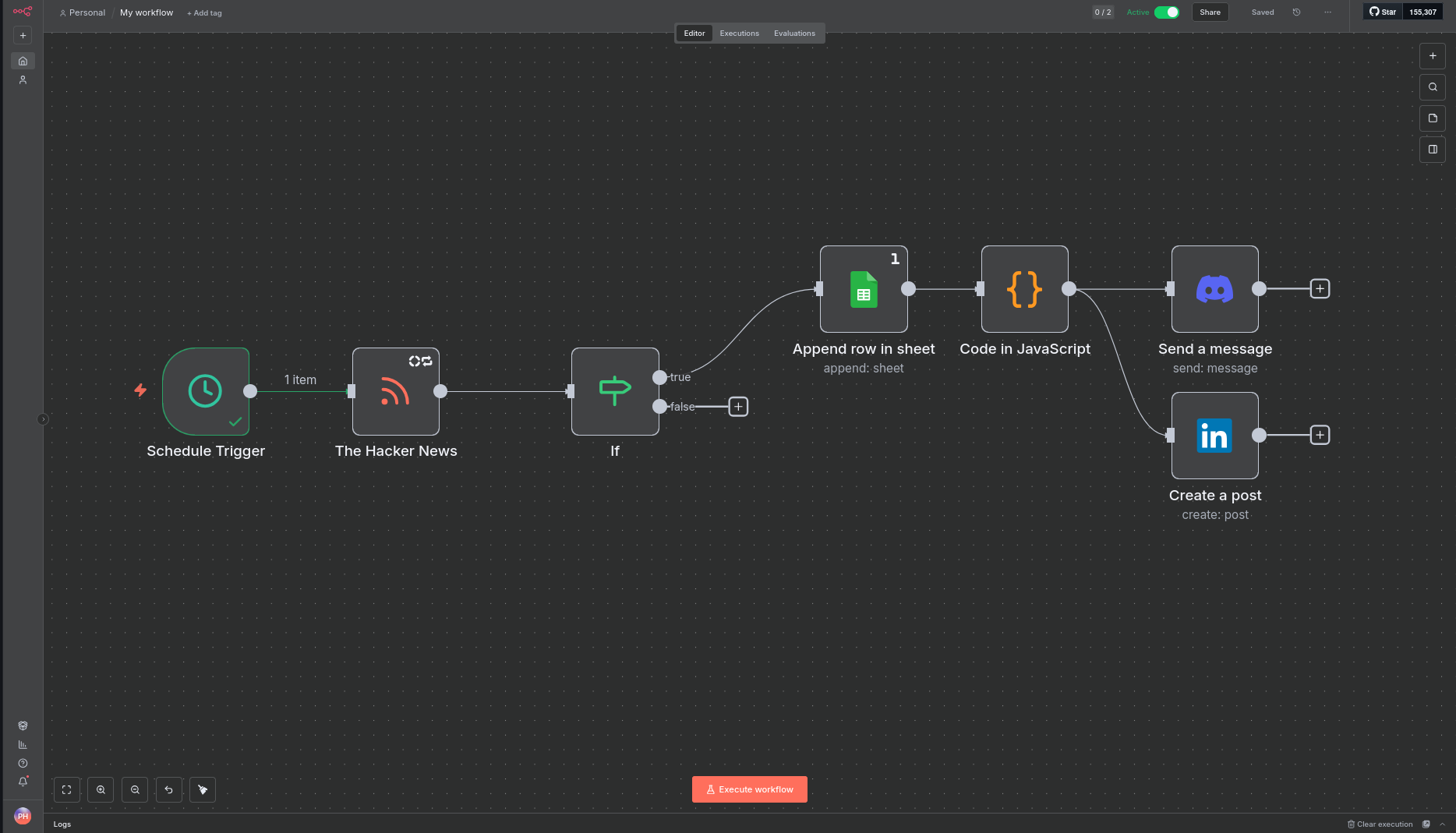
It looks like this:
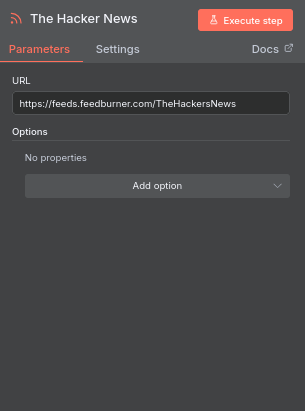
- Then i connected the RSS feed, where i used The Hacker News RSS ` https://feeds.feedsburner.com/TheHackerNews` data to fetch the articles.
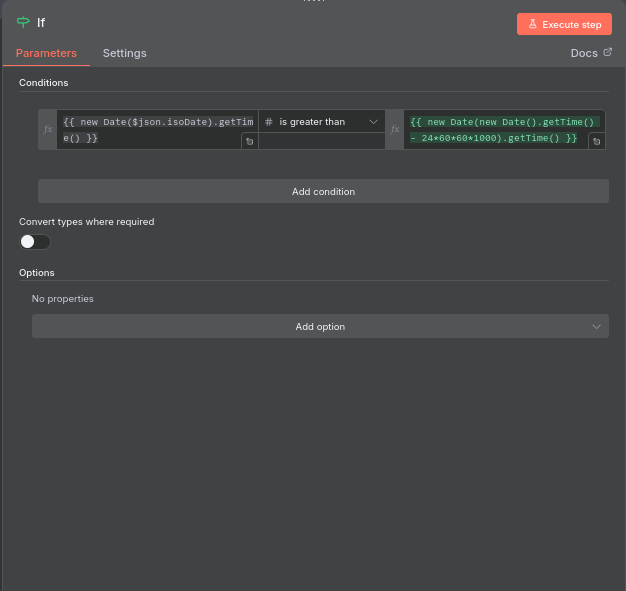
- Then, I connected an If node , which extracted only the latest news, from current day.
Here is the condition script:
{{ new Date($json.isoDate).getTime() }} is greater than {{ new Date(new Date().getTime() - 24*60*60*1000).getTime() }}
After extracting, it conveniently gets saved in my Google Sheets.
Then I connected a Code node, which lets us write Custom JavaScript or Python code, as for mine, i wrote a script that filters out the duplicates, convenient right?
// Get all input items
const items = $input.all();

// Keep track of GUIDs we've seen
const seenGuids = new Set();

// Filter items dynamically
const filtered = items.filter(item => {
  if (seenGuids.has(item.json.guid)) {
    return false; // skip duplicates
  } else {
    seenGuids.add(item.json.guid);
    return true; // keep new
  }
});

// Return in n8n format
return filtered.map(item => ({ json: item.json }));
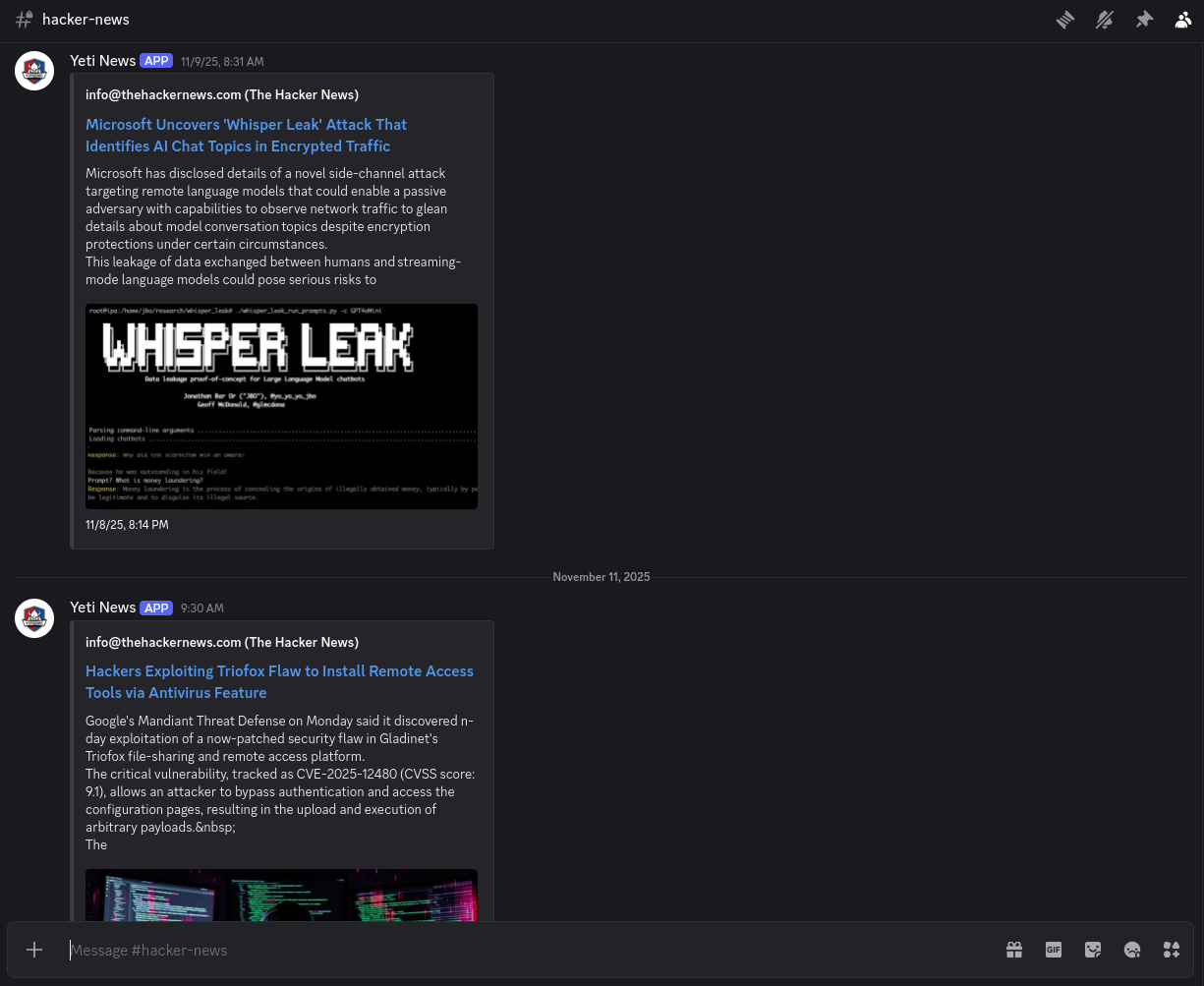
- Then finally, i connected my discord account and my news channel of Yeti CyberOps Discord. It requires you to create a discord app, a custom bot and add some credentials to finally run it.
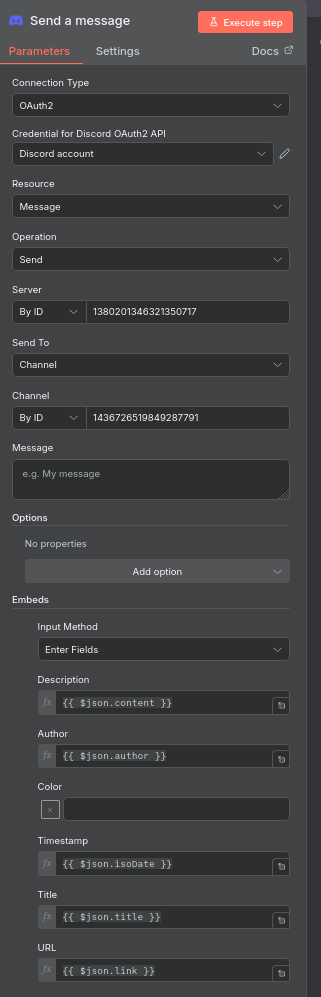
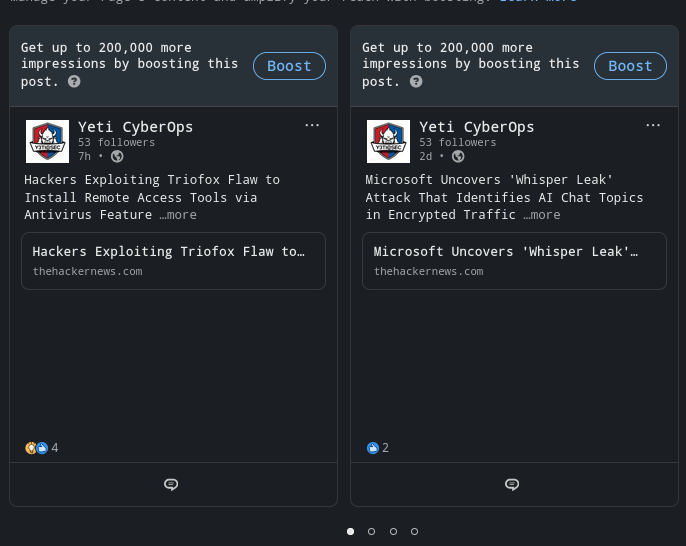
- Same goes for Linkedin, you have to go to Linkedin developer platform , create an app and finally, connect your personal or organization account!
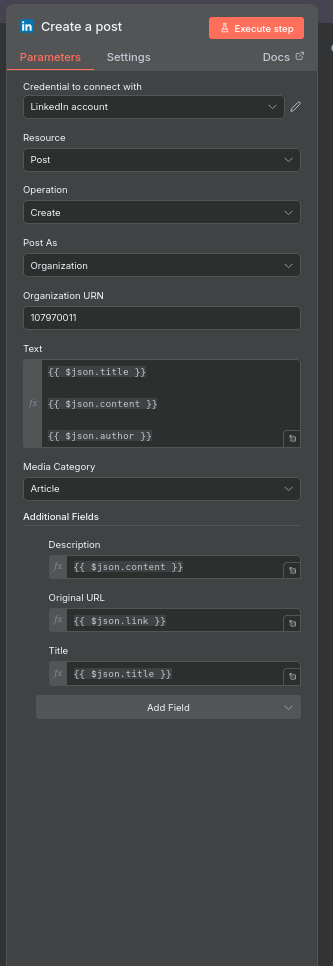
You can find many tutorials on the web, i am too lazy to find them again and paste their links here, sorry about that :P.
Results:
What i learned
Always, i mean always, make sure your docker persists even after reboot, i had a heart failure when my laptop was cut off of power after it’s charge went out, fortunately, i still had my data even though i had to create a new docker instance.
What i plan to do next
I really hope to connect my SIEM tool like Wazuh to automate the alert system, i am a sucker for SIEM tools after all.
Setting this up on Linux was a fun weekend project, i hoped the weekend had 3 more days but well, i managed to pull it off. See ya in my next article!
Automation is addictive — once you start building with n8n, you’ll find yourself connecting everything. This was just the start of my journey into practical automation and self-hosting.