
Wazuh Password Reset Guide

Part I: For Docker Installations
In Docker, you must change the persistent files on the host first, then apply them inside the container.
1. Generate the Password Hash
Access the indexer container to use the hash tool:
docker exec -it -u 0 single-node-wazuh.indexer-1
Then export Java :
export JAVA_HOME=/usr/share/wazuh-indexer/jdk
export PATH=$PATH:$JAVA_HOME/bin
Then navigate to the tool:
cd /usr/share/wazuh-indexer/plugins/opensearch-security/tools
Then execute the hash tool:
./hash.sh
Enter the new password in plain-text to get its hash.

Copy that hash and navigate to:
wazuh-docker/single-node/config/wazuh-indexer
Then replace the existing hash:
# This is the internal user database
# The hash value is a bcrypt hash and can be generated with plugin/tools/hash.sh

_meta:
  type: "internalusers"
  config_version: 2

# Define your internal users here

## Demo users

admin:
  hash: "$2y$12$68mjfelqgWCWfa4vJmI66ut.RLkQtrwu5DKPdZd1p53dxObbjLFga"

  reserved: true
  backend_roles:
  - "admin"
  description: "Demo admin user"
Then Restart the whole container:
docker compose down
docker compose up
Then attach the indexer again:
docker exec -it -u 0 single-node-wazuh.indexer-1
Export Java to path again:
export JAVA_HOME=/usr/share/wazuh-indexer/jdk
export PATH=$PATH:$JAVA_HOME/bin
Then navigate to :
cd /usr/share/wazuh-indexer/plugins/opensearch-security/tools
Use this command:
./securityadmin.sh \
-cd /etc/wazuh-indexer/opensearch-security/ \
-nhnv \
-cacert /etc/wazuh-indexer/certs/root-ca.pem \
-cert /etc/wazuh-indexer/certs/admin.pem \
-key /etc/wazuh-indexer/certs/admin-key.pem \
-p 9200 \
-icl
The output should show:
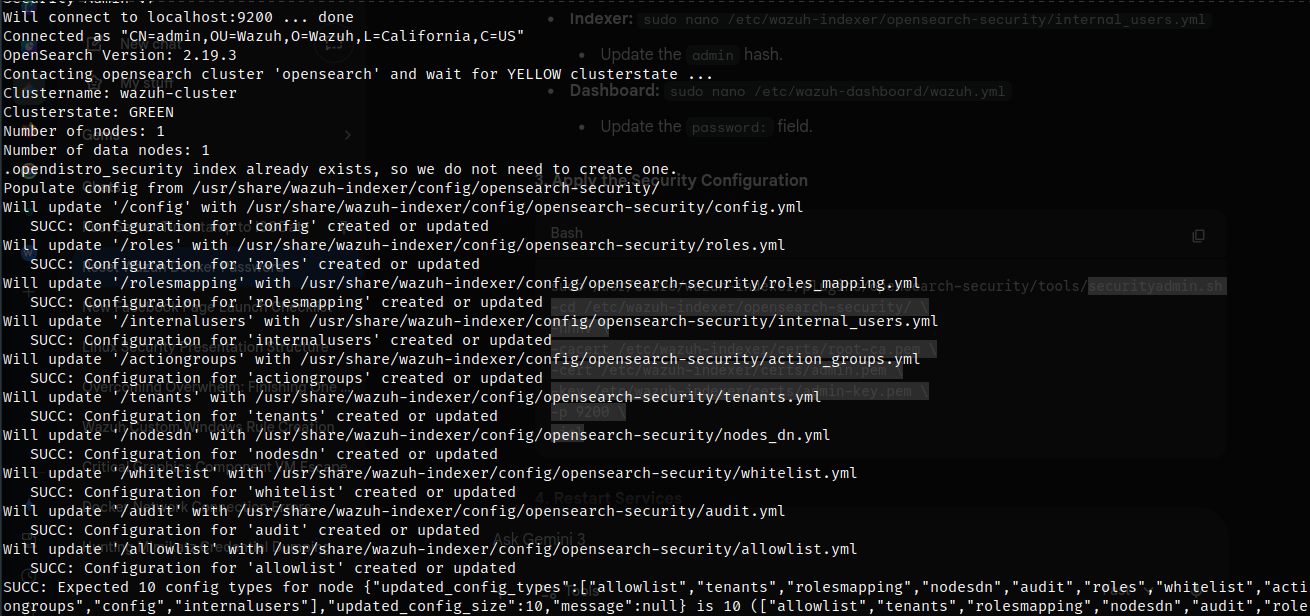
The password has been successfully changed, try it in your dashboard!
Part II: For host-based installation
Simply navigate to indexer's path:
cd /usr/share/wazuh-indexer/plugins/opensearch-security/tools
Execute the hash.sh to input new password:
./hash.sh
Expected Output:

Copy the hash and navigate to :
/etc/wazuh-indexer/opensearch-security
and change the password hash:
nano internal_users.yml
# This is the internal user database
# The hash value is a bcrypt hash and can be generated with plugin/tools/hash.sh

_meta:
  type: "internalusers"
  config_version: 2

# Define your internal users here

## Demo users

admin:
  hash: "$2y$12$68mjfelqgWCWfa4vJmI66ut.RLkQtrwu5DKPdZd1p53dxObbjLFga"

  reserved: true
  backend_roles:
  - "admin"
  description: "Demo admin user"
Restart the wazuh-indexer:
sudo systemctl restart wazuh-indexer
Again navigate to :
cd /usr/share/wazuh-indexer/plugins/opensearch-security/tools
And execute this command:
./securityadmin.sh \
-cd /etc/wazuh-indexer/opensearch-security/ \
-nhnv \
-cacert /etc/wazuh-indexer/certs/root-ca.pem \
-cert /etc/wazuh-indexer/certs/admin.pem \
-key /etc/wazuh-indexer/certs/admin-key.pem \
-p 9200 \
-icl
Expected output:
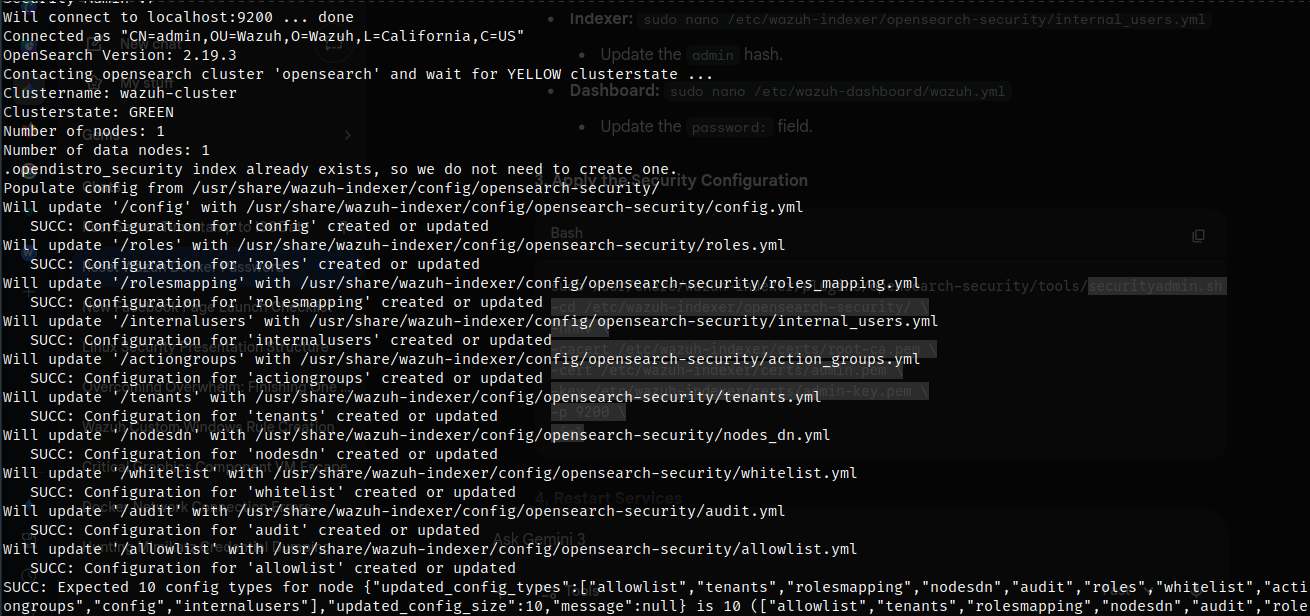
go to the dashboard and login with your new password!!!
About the author
- Just a SOC analyst doing detection engineering across banking-sector SIEM environments (LogPoint, FortiSIEM, Wazuh), with a habit of digging past the alert to the mechanism underneath. I build automation to cut manual triage overhead and write custom detection rules for endpoint and network anomalies. Outside work: built a DNS resolver from scratch against RFC 1035, an ARP spoofing detector in C , design CTF challenges and I read Linux kernel source for fun. I write about what I find at prayush.hashnode.dev.
Comments
Join the discussionNo comments yet. Be the first to comment.